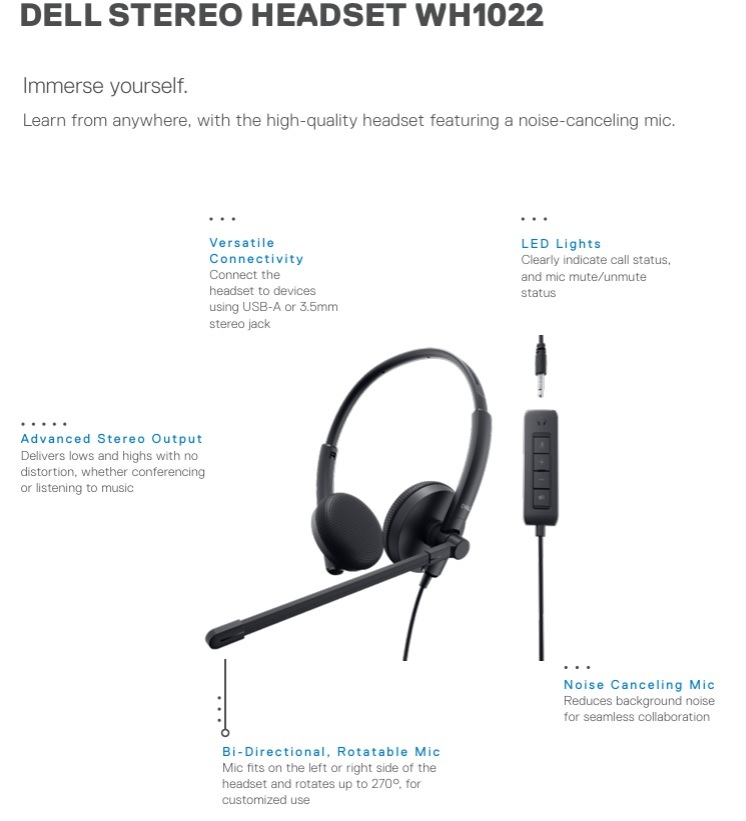
אוזניות חוטיות Dell Stereo Headset – WH1022

תיהנו מחוויית למידה נוחה וללא הסחות דעת עם אודיו אדפטיבי, מיקרופון מתכוונן עם ביטול רעשים ובקרות שמע נגישות.
איכות אקוסטית מעולה
האזינו לדוברים, השתתפו בשיעורים והשתתפו בדיונים עם איכות צליל שתוכלו לסמוך עליה; יחד עם קליטת קול מעולה כדי להבטיח שתישמעו בבירור.
חיבור מכל מקום
מיקרופון כיווני עם ביטול רעשים מפחית רעשי רקע בזמן הדיבור, ומאפשר ללומדים להשתתף בשיחות מכל סביבה.
אידיאלי ללמידה
האם אתם מחפשים אוזניות איכותיות, אמינות ונוחות כדי שתוכלו להתמקד אך ורק בלימודים שלכם?
אוזניות הסטריאו של Dell אלו מושלמות עבורכם.

Pro Stereo Headset Features
Top View
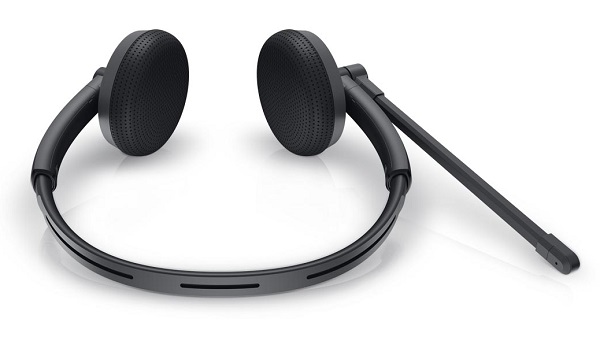
(Figure.3 Dell WH1022 Pro Stereo Headset Top View)
Left View
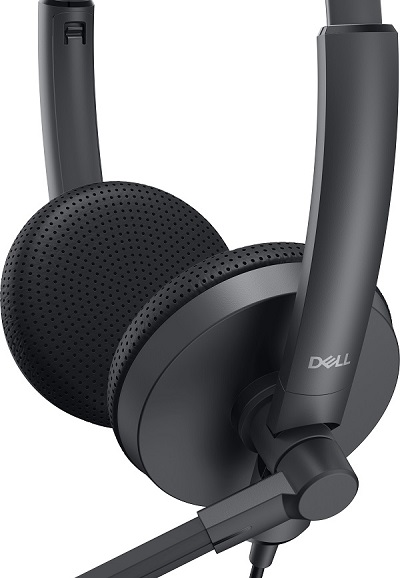
(Figure.4 Dell WH1022 Pro Stereo Headset Left View)
Product Features
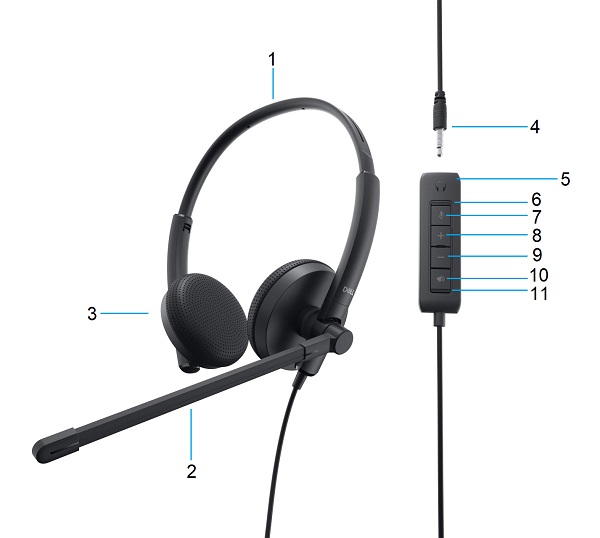
(Figure.5 Dell WH1022 Pro Stereo Headset Product Features)
| 1 |
Adjustable Headband |
2 |
Adjustable Noise Cancelling Microphone Boom |
| 3 |
Leatherette Ear Pads |
4 |
3.5 mm Audio Jack |
| 5 |
- Mute Indicator LED
- Mute/Unmute Microphone
- Volume Up Button
- Volume Down Button
- Mute/Unmute Speaker
- Power Indicator LED
|
|
|
Control Functions
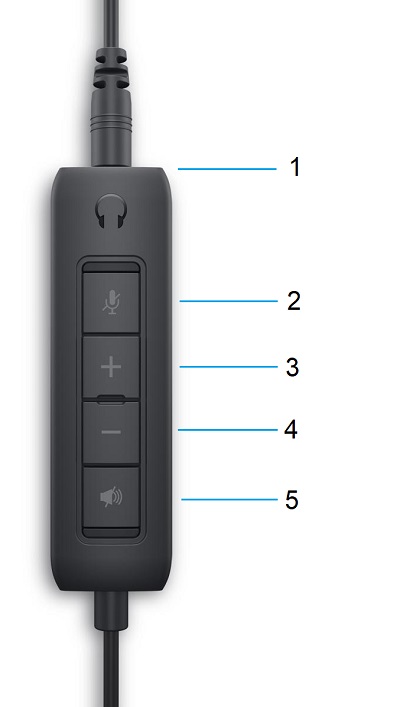
(Figure.6 Controls)
|
|
Inline Controls
|
LEDs
|
What they mean
|
|
1
|
Headphone Connection
|
None
|
Where the headphones connect to the controls
|
|
2
|
Mic. Mute Button
|
Solid Red
|
Mute On
|
|
Off
|
Mute Off
|
|
3
|
Volume Up Button
|
None
|
Increases the listening volume
|
|
4
|
Volume Down Button
|
None
|
Decreases the listening volume
|
|
5
|
Speaker Mute Button
|
Solid Green
|
Power On
|
|
Off
|
Power Off
|
Back to Top
Setting up your Pro Stereo Headset
Compatibility
Operating Systems:
Connecting the Pro Stereo Headset
The Dell WH1022 Pro Stereo Headset uses a 3.5 mm audio jack to connect to the control panel. The control panel uses a USB Type-A connector to connect to your Desktop or Laptop computer.
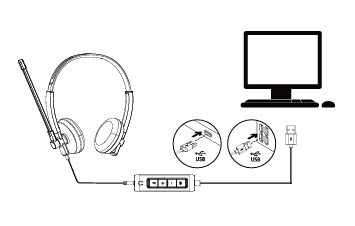
(Figure.7 USB Type-A Connector)